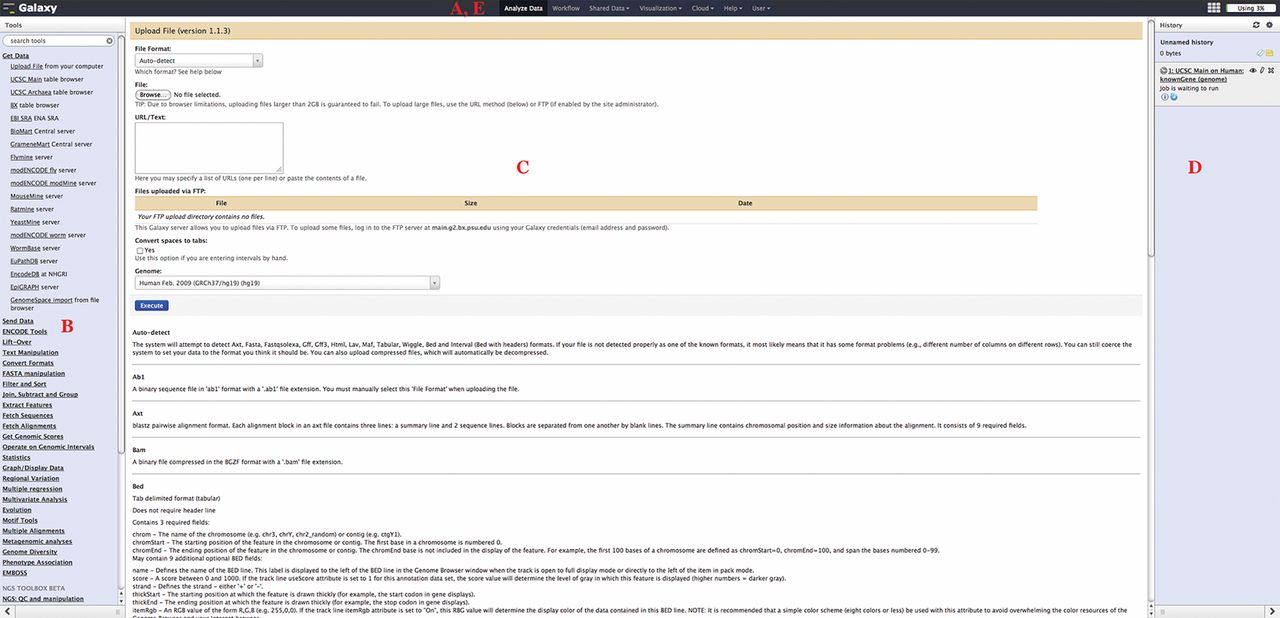
Figure 1.
The Galaxy analysis interface. The Galaxy analysis interface is constructed of four main parts: (A) the masthead at the top, (B) the tools menu on the left, (C) the tool interface in the center, and (D) the analysis History located on the right. Here, the Upload tool interface is visible after being selected from the “Get Data” section of the tools menu. The analysis interface is the default Galaxy view and can be accessed using the Analyze Data link (E) from within the masthead.